Cross-platform
Run it on Windows, macOS or Linux as a desktop application, or deploy it as a web application reachable from any browser.
Administration, development and monitoring for PostgreSQL. Desktop or server mode, on Windows, macOS, Linux and in containers. Open source, and maintained by the people who use it.
A signed installer for Windows, covering both desktop and server mode. Requires a 64-bit version of Windows.
Windows installersA signed and notarised disk image for macOS, built as a universal binary for Apple silicon and Intel.
macOS disk images# Pull and run the container image $ docker pull dpage/pgadmin4 $ docker run -p 80:80 \ -e 'PGADMIN_DEFAULT_EMAIL=user@domain.com' \ -e 'PGADMIN_DEFAULT_PASSWORD=SuperSecret' \ -d dpage/pgadmin4
# Install the signing key and the repository
$ curl -fsS https://www.pgadmin.org/static/packages_pgadmin_org.pub | sudo gpg --dearmor -o /etc/apt/keyrings/packages-pgadmin-org.gpg
$ sudo sh -c 'echo "deb [signed-by=/etc/apt/keyrings/packages-pgadmin-org.gpg] https://ftp.postgresql.org/pub/pgadmin/pgadmin4/apt/$(lsb_release -cs) pgadmin4 main" > /etc/apt/sources.list.d/pgadmin4.list && apt update'

$ sudo apt install pgadmin4          # desktop and web
$ sudo apt install pgadmin4-desktop  # desktop only
$ sudo apt install pgadmin4-web      # web only
# Set up the repository (Fedora)
$ sudo rpm -i https://ftp.postgresql.org/pub/pgadmin/pgadmin4/yum/pgadmin4-fedora-repo-2-1.noarch.rpm

# ...or AlmaLinux, Rocky, RHEL and CentOS
$ sudo rpm -i https://ftp.postgresql.org/pub/pgadmin/pgadmin4/yum/pgadmin4-redhat-repo-2-1.noarch.rpm

$ sudo yum install pgadmin4          # desktop and web
$ sudo yum install pgadmin4-desktop  # desktop only
$ sudo yum install pgadmin4-web      # web only
# Create the data and log directories
$ sudo mkdir /var/lib/pgadmin
$ sudo mkdir /var/log/pgadmin
$ sudo chown $USER /var/lib/pgadmin
$ sudo chown $USER /var/log/pgadmin

# Install and run in a virtual environment
$ python3 -m venv pgadmin4
$ source pgadmin4/bin/activate
(pgadmin4) $ pip install pgadmin4
(pgadmin4) $ pgadmin4
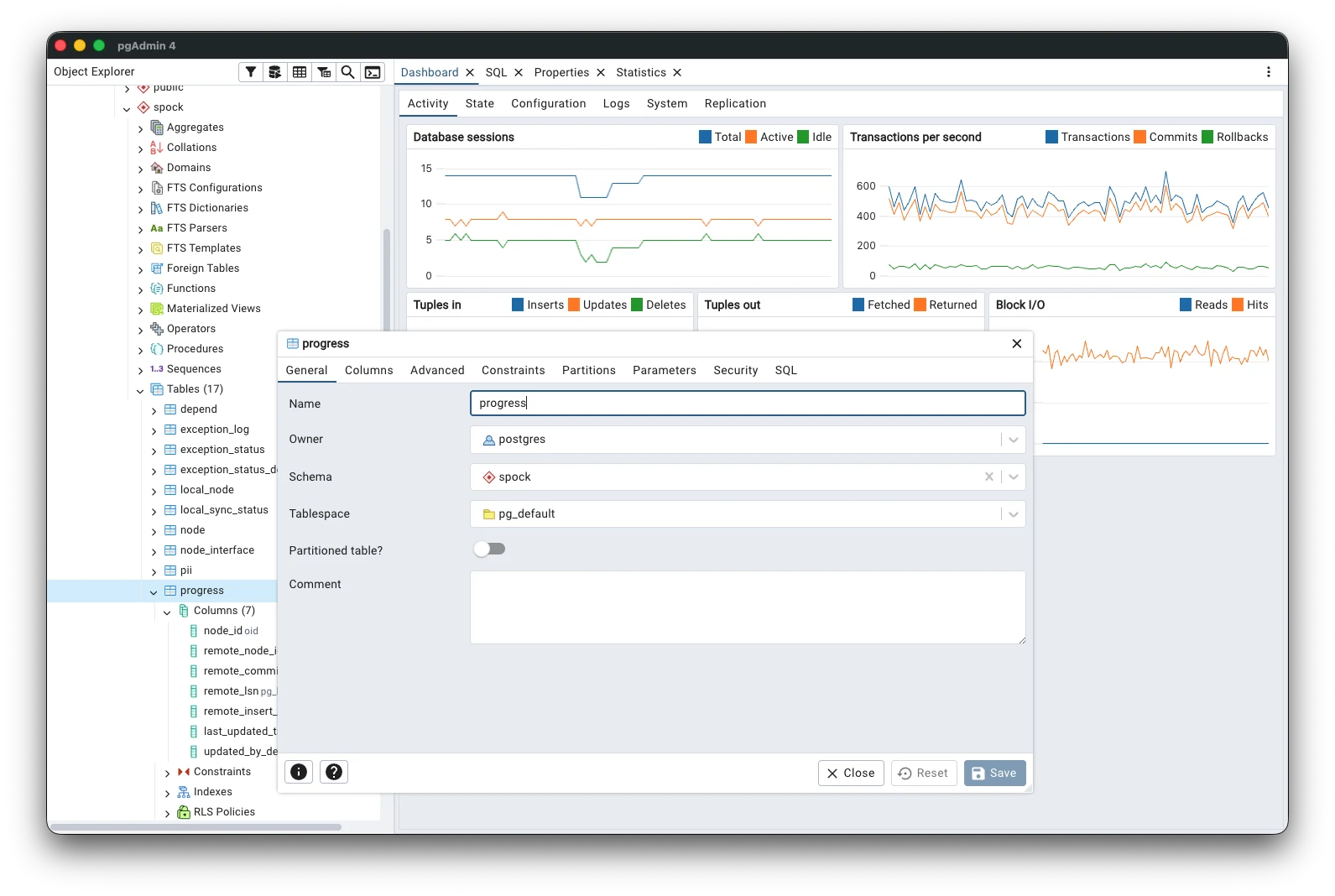

Run it on Windows, macOS or Linux as a desktop application, or deploy it as a web application reachable from any browser.
Create, browse and maintain every PostgreSQL object through a graphical interface that keeps the generated SQL in plain sight.
Syntax highlighting, auto-completion, query history and a graphical EXPLAIN for working out where the time actually goes.
This is the third and final post in a series covering the new AI functionality in pgAdmin 4. In the first post, I covered LLM configuration and the …
Read the postThis is the second in a series of three blog posts covering the new AI functionality in pgAdmin 4. In the first post, I covered LLM configuration and …
Read the postThis is the first in a series of three blog posts covering the new AI functionality coming in pgAdmin 4. In this post, I'll walk through how to …
Read the postThe pgAdmin Development Team is pleased to announce the release of pgAdmin 4 version 9.18. This release of pgAdmin 4 includes 29 bug fixes and new features, including fixes for four security vulnerabilities (CVE-2026-86861 through CVE-2026-86864). For more details, please see the release notes.
pgAdmin is the leading open-source graphical management tool for PostgreSQL. For more information, please see the website.
Notable changes in this release include:
Ctrl+Alt+B by default, does the same thing and can be changed through the new toggle_object_explorer preference.'unsafe-inline', and drop 'unsafe-eval'. style-src keeps 'unsafe-inline', because MUI and React inject runtime styles and inline style attributes that cannot carry a nonce, and development bundles have 'unsafe-eval' re-added automatically when DEBUG is set.get_user() fell back to reading the configured WEBSERVER_REMOTE_USER name from the inbound request headers when it was absent from the WSGI environment. Because a header is written by whoever sends the request, any client that could reach pgAdmin could assert any identity, including an administrator's, without presenting a credential. A header-asserted identity is now opt-in, restricted to a configured list of trusted proxies with an optional shared secret, and refused for accounts whose authentication source is not webserver (CVE-2026-86863).pg_dump argument vector as a bare positional value. Because getopt_long permutes arguments, a value beginning with a dash supplied further options such as --file, overriding the storage-confined output path; and because libpq expands a database name containing an equals sign into a full connection string, the same field could redirect the connection, and the password exported in PGPASSWORD, to a host of the caller's choosing. The database name is now passed through the PGDATABASE environment variable, which libpq never expands (CVE-2026-86864).--dbname and could likewise redirect the connection, and the exported password, to a server of the caller's choosing (CVE-2026-86862).save_file endpoint, which backs saving from the Query Tool and ERD: the requested path was validated with check_access_permission() and then opened with a plain open(), so a symbolic link planted in between was followed, writing outside the user's storage directory. This is the write sink that CVE-2026-7819's hardening of the separate upload path did not cover (CVE-2026-86861).Location header on to a destination the ALLOWED_LLM_API_URLS check was never applied to. This is hardening rather than a fix for an exploitable flaw, since returning the redirect at all requires control of a host already on the allowlist.Username when importing a non-shared server, which previously imported cleanly and left a server that libpq would silently authenticate as the OS account running pgAdmin rather than reject outright.UserMixin.is_locked() that pgAdmin's own is_locked() had been written against.dependLevel unset.getNodeAjaxOptions() so a wide table's Columns tab no longer fires one duplicate get_types request per column row.TABLESPACE pg_default clause from generated index SQL, which was invalid on a partitioned table.pg_service.conf) connection, which leaves host, port and username unset.SharedUsername when importing a shared server from a servers.json definition, instead of insisting on Username for every server.ProductVersion, and fix the existingSecret path in the Helm deployment template.SERVER_MODE is set, leaving desktop mode with internal authentication alone.Builds for Windows and macOS are available now, along with a Python Wheel, Docker Container, RPM, DEB Package, and source code tarball from the download area.
The pgAdmin Development Team is pleased to announce the release of pgAdmin 4 version 9.17. This release of pgAdmin 4 includes 28 bug fixes and new features, including fixes for seven security vulnerabilities (CVE-2026-17346 through CVE-2026-17351, and CVE-2026-17566). For more details, please see the release notes.
pgAdmin is the leading open-source graphical management tool for PostgreSQL. For more information, please see the website.
Notable changes in this release include:
HTTPRoute template to the Helm chart as an alternative to the existing Ingress.SELECT *.MASTER_PASSWORD_HOOK feature, where an externally-sourced username (e.g. via OAuth2/OIDC, Kerberos, or webserver authentication) containing shell metacharacters could execute arbitrary commands as the pgAdmin service account when the configured hook string uses %u (CVE-2026-17347).standard_conforming_strings = on, letting a crafted multi-statement payload smuggle a COMMIT past the intended read-only wrapper; an incomplete fix for CVE-2026-12045 (CVE-2026-17351).@pga_login_required decorator, making them reachable without authentication in server mode; an incomplete fix for CVE-2026-12046 (CVE-2026-17348).\copy (...) parenthesis-balance guard by exploiting a backslash-escape mismatch with psql's default standard_conforming_strings = on behaviour, exposing a live TO PROGRAM clause for arbitrary command execution (CVE-2026-17566).pg_depend instead of guessing the sequence name.OAUTH2_CONFIG.packageManager field.Builds for Windows and macOS are available now, along with a Python Wheel, Docker Container, RPM, DEB Package, and source code tarball from the download area.
The pgAdmin Development Team is pleased to announce the release of pgAdmin 4 version 9.16. This release of pgAdmin 4 includes 64 bug fixes and new features, including fixes for seven security vulnerabilities (CVE-2026-12044 through CVE-2026-12050). For more details, please see the release notes.
pgAdmin is the leading open-source graphical management tool for PostgreSQL. For more information, please see the website.
Notable changes in this release include:
containerSecurityContext.COMMENT ON ... IS '<description>'; switches affected templates to qtLiteral and rewrites stats calls to pass the relation OID via a ::oid::regclass cast (CVE-2026-12044).READ ONLY wrapper, chaining to RCE via COPY ... TO PROGRAM on a superuser connection (CVE-2026-12045).@pga_login_required decorator, making them reachable without authentication in server mode and exposing a pickle deserialization sink (CVE-2026-12046).html-react-parser (CVE-2026-12047).html-react-parser across notifier toasts, form errors, modal alerts, and the Explain visualiser; injected script could exfiltrate saved server credentials and issue SQL against every connected server (CVE-2026-12048).next parameter (CVE-2026-12049).str.format() instead of a bound parameter (CVE-2026-12050).jsonb number representation in the JSON editor so trailing fractional zeros and large integers are no longer rewritten when saving unmodified rows.cryptography to 49.0, and other Python and JavaScript dependencies.Builds for Windows and macOS are available now, along with a Python Wheel, Docker Container, RPM, DEB Package, and source code tarball from the download area.